Jul 27, 2026 Artificial Intelligence, App Development
Key Takeaways
- There’s a real difference between bolting AI onto an app and building one where intelligence is load-bearing – the second approach shapes data pipelines, fallback logic, and compliance scope from day one.
- For most teams, the smartest path is starting with a pre-trained model via API to validate demand, then fine-tuning once real usage data exists — full custom models only make sense when the model itself is the product.
- Every AI feature needs defined fallback behavior for when the model fails or returns low-confidence output; skipping this creates silent failures that erode trust faster than an outright outage.
- On-device AI is becoming a serious option, not a niche one – the global on-device AI market is projected to hit $75.5 billion by 2033, driven by latency and data-sovereignty needs.
- AI QA has to test for safe failure, not just correct function: adversarial inputs, bias audits, and drift monitoring all belong in the test plan alongside standard functional checks.
- Compliance (data residency, explainability, consent) has to be a design constraint from day one – retrofitting it later usually means rebuilding under deadline pressure.
Most teams don’t fail at building an AI app because the model is weak. They fail because nobody mapped the data pipeline, the latency budget, or the compliance trail before the first line of code was written.
Why adding AI isn’t the same as building an AI app? There’s a difference between bolting a chatbot onto an existing app and architecting a product where intelligence is load-bearing. Most companies asking how to build an AI app are really asking the second question, even if they don’t say it that way.
The market pressure is real. The global mobile application market is projected to grow from roughly $322.6 billion in 2026 to $885.3 billion by 2033, according to Grand View Research and a growing share of that growth is tied directly to AI features, not just app volume. That’s capital moving toward products that behave differently than static software.
At Xicom, we’ve watched the leaders treat AI as a checkbox ship apps that plateau fast, decent demo, weak retention, no defensible edge. The leaders who treat AI as core architecture ship something a competitor can’t clone in a sprint. This guide is written for the second group, or for the first group that wants to get there.
We’ll walk through this as a build sequence: strategy, data, model selection, integration, testing, compliance, and scale. Skip a step and you’ll pay for it later, usually in a production incident, not a code review.
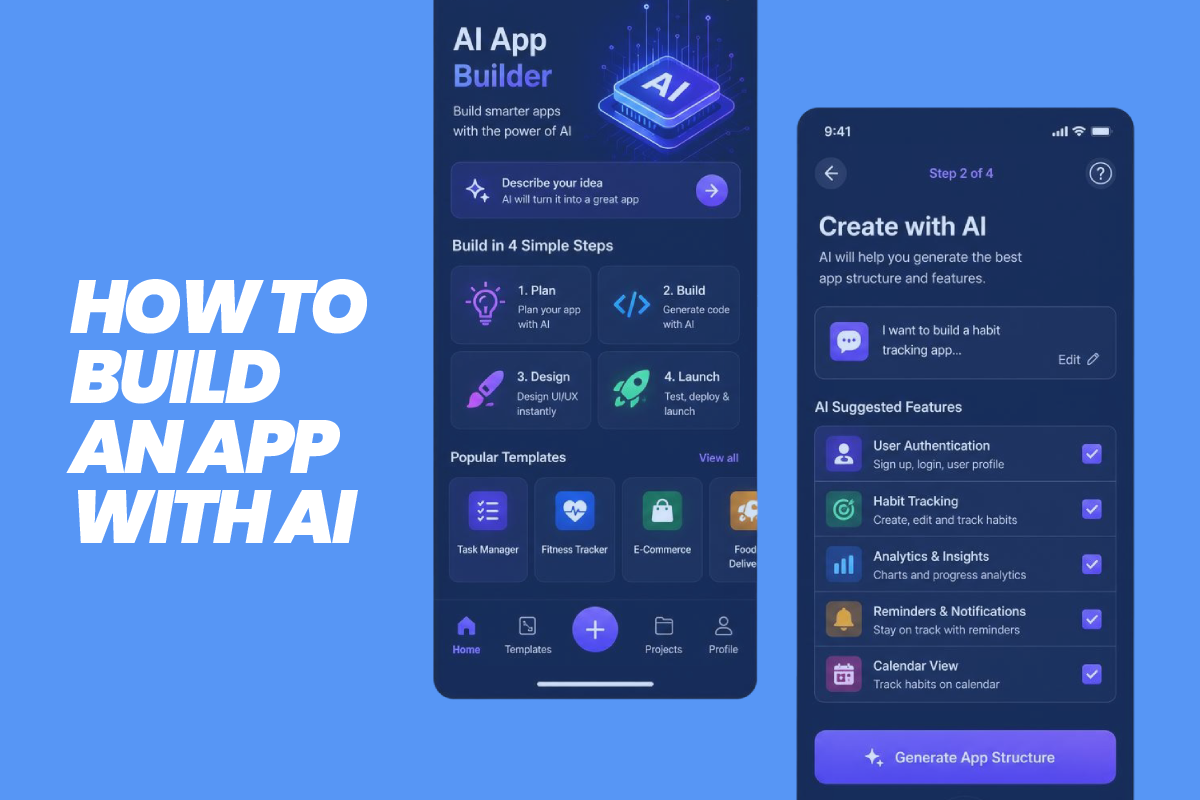
How to Develop an AI App: Technical Roadmap for Enterprise Mobile Applications
Step 1: Define the Problem the AI Actually Solves
Before touching how to develop an AI app, define what intelligent means for your specific product. Vague goals like “make it smarter” produce vague architectures.
Ask three questions internally:
- What decision is currently manual that AI should automate or accelerate? (Triage, recommendation, fraud flagging, content generation, forecasting.)
- What’s the cost of a wrong prediction? A movie recommendation engine can be wrong for free. A clinical scheduling assistant or a lending risk model cannot.
- Does the value come from personalization, automation, or generation? These require different architectures, different data volumes, and different QA processes.
This step determines everything downstream whether you need a fine-tuned model or an off-the-shelf API, whether inference runs on-device or in the cloud, and how much your compliance team needs to be in the room from day one.
Step 2: Build the Data Foundation Before the Model
Teams researching how to use AI to build an app usually start by comparing models. That’s backwards. The model is replaceable. Your data pipeline is not.
What a usable data foundation requires:
- Structured collection — event logging, user behavior capture, and clean labeling from day one, not retrofitted after launch.
- A feedback loop — a mechanism for the app to learn from real usage, not just the training set it launched with.
- Data governance — consent capture, retention policies, and anonymization built into the schema, not added later as a patch.
If your app touches healthcare, financial, or any personally identifiable data, this is also where your regulatory exposure gets defined. HIPAA, GDPR, and the EU AI Act all treat data handling as a first-class architectural decision, not a legal footnote. We build this layer alongside the product team, not after the product team hands off a finished app for a compliance review.
Step 3: Choose Your AI Approach: Build, Fine-Tune, or Integrate
This is the fork in the road for anyone mapping out how to create an AI app on a real budget and timeline.
Option A: Use a Pre-Trained Model via API
Fastest path to market. You’re calling an existing large language model, vision model, or recommendation engine through an API: think OpenAI, Anthropic, or Google’s Vertex AI. Ideal for MVPs, internal tools, and products where the AI feature isn’t your core differentiator.
Trade-off: limited control over model behavior, ongoing per-call costs, and dependency on a third-party’s uptime and pricing changes.
Option B: Fine-Tune an Existing Model
You take a foundation model and train it further on your proprietary data, such as support tickets, clinical notes, and transaction histories. This gets you domain-specific accuracy without the cost of training from scratch.
Trade-off: requires a genuine data asset. Fine-tuning on thin or messy data produces a model that’s confidently wrong, which is worse than a generic one.
Option C: Build a Custom Model
Reserved for products where the model itself is the product; a proprietary diagnostic tool, a novel fraud-detection engine, a unique scoring algorithm. This is expensive, slow, and usually unnecessary unless your competitive moat depends on it.
For most founders and product teams we work with, the honest answer sits between A and B. Start with an API-based MVP to validate demand, then fine-tune once you have real usage data worth training on.
Step 4: How to Build an App With AI Integration — The Technical Stack
Once the model layer is decided, how to build an app with AI integration comes down to four architectural decisions.
1. Inference Location — Cloud or On-device
On-device AI is no longer a niche choice. The global on-device AI market is projected to reach $75.5 billion by 2033, according to Grand View Research. This value is largely driven by latency and data-sovereignty requirements. If your app handles sensitive data or needs offline functionality, on-device inference should be evaluated seriously, not treated as a stretch goal.
2. API Orchestration Layer
Most AI app development companies aren’t calling one model, they’re routing between several (a language model for conversation, a separate model for classification, a rules engine for compliance checks). This orchestration layer is where a lot of technical debt gets created if it’s not planned deliberately.
3. Latency Budget
Users tolerate a two-second AI response in a chat interface. They don’t tolerate it in a camera-based feature or a real-time recommendation. Define your latency budget per feature, not per app, and architect accordingly.
4. Fallback Logic
Every AI feature needs a defined behavior for when the model fails, times out, or returns low-confidence output. This isn’t an edge case for any app at scale, it’s a routine Tuesday. Teams that skip this step end up with silent failures that erode user trust faster than an outage would.
This is also the layer where our AI integration services team spends most of its time not writing prompts, but building the orchestration, fallback, and monitoring infrastructure that keeps an AI feature reliable once it’s live in front of real users.
Step 5: Test for Failure, Not Just Function
Standard QA checks whether a feature works. AI QA has to check whether a feature fails safely, because it will fail models drift, edge cases surface, and inputs you never tested for will show up in production.
A functional AI testing checklist should include:
- Adversarial input testing — what happens when a user deliberately tries to break the model?
- Bias and fairness audits — particularly critical for any app making decisions about people (lending, hiring, healthcare triage, insurance).
- Drift monitoring — a plan for detecting when model accuracy degrades over time as real-world data shifts away from training data.
- Human-in-the-loop checkpoints — for any high-stakes decision, a defined point where a human reviews or can override the model’s output.
Step 6: Address Compliance Early, Not During App Store Review
For any founder or administrator building in a regulated space, compliance isn’t a final step; it’s a constraint that shapes the architecture from day one.
Baseline considerations, regardless of industry:
- Data residency — where is training and inference data physically stored, and does that match your regulatory obligations?
- Explainability — can you produce a reasonable explanation for why the model made a given decision? This is now a hard requirement in several regulated sectors, not a nice-to-have.
- Consent and transparency — does the user know they’re interacting with an AI system, and did they consent to how their data trains or informs that system?
- App store policy alignment — both Apple and Google have tightened review requirements around apps using generative AI, particularly for user-generated content moderation and data handling disclosures.
Teams that treat this as a pre-launch checklist inevitably rebuild parts of their architecture under deadline pressure. Teams that build with compliance as a design constraint from the start ship faster in the long run, even though it feels slower at the outset.
Step 7: Plan for Scale Before You Need It
An AI feature that works cleanly for 500 beta users can behave very differently at 50,000. Inference costs scale roughly linearly with usage unless you’ve planned for caching, batching, or model right-sizing, using a smaller, cheaper model for simple queries and reserving the larger model for complex ones.
Cost and performance levers worth planning for early:
- Model right-sizing — not every query needs your most expensive model.
- Caching common responses — particularly relevant for classification or recommendation features with repeatable patterns.
- Usage-based rate limiting — protects both your infrastructure costs and your users’ experience during traffic spikes.
This is where a lot of mobile app businesses underestimate their own roadmap. The MVP architecture and the scale architecture are rarely the same thing, and retrofitting one into the other is expensive. Many mobile app development companies build the scale path into the technical plan from the proposal stage, specifically to avoid that rebuild.
Where AI Mobile Apps Are Heading in the Future?
Right now, most AI apps still feel like a smart layer sitting on top of an app that would work fine without it. That’s changing. The next generation of apps won’t ask the user to open a chat window and type a request, the app itself will notice what you’re trying to do and just handle it. Less tapping through menus, more the app quietly doing the task in the background and surfacing the result when it’s ready.
We’re also going to see AI stop living entirely in the cloud. As phones get better at running models locally, more of the thinking will happen right there on the device, which means faster responses and a lot less of your data ever leaving your phone in the first place. For anything involving sensitive information, that shift matters as much to users as it does to the businesses building for them.
The other change worth watching is how AI features will start working together instead of sitting in separate corners of an app. Instead of one AI feature for search and a completely different one for recommendations, apps will begin to feel like they have one connected brain behind them, remembering context from one part of the experience and carrying it into the next.
None of this means every app needs to chase the newest trend the moment it shows up. It means the apps built on a solid foundation today, clean data, sensible fallback behavior, real compliance thinking, will be the ones that can actually adopt these shifts without a rebuild. The apps built as a quick AI add-on won’t have that option.
Also Read: Top Mobile App Development Companies
To Sum Up
Building an AI-powered mobile app isn’t a matter of picking a model and wiring up an API. That part is easy. The other hard thing is the data foundation, the fallback logic for when the model gets it wrong, the compliance trail that holds up under an audit, and the cost architecture that doesn’t collapse the moment you scale past your beta users.
This is the gap we work in at Xicom. We’ve built AI features for products where a wrong prediction has real consequences, not just a bad user experience, and that discipline shapes how we architect every engagement, whether the task is a lightweight recommendation engine or a full autonomous system. Rather than starting with the model, we start with the failure modes, because that’s what determines whether an AI app holds up in production or breaks quietly six months in.
If your team is scoping this build and wants a technical partner who’s done it under real constraints, we’d rather talk through your specific architecture than sell you a generic roadmap. And if your ambitions go beyond a single AI feature toward something closer to an autonomous system, our AI development company can walk you through how to build a mobile app, the natural next step for products ready to move past assistive AI into genuinely autonomous workflows.
Frequently Asked Questions
What’s the difference between adding AI to an app and building an AI app?
Adding AI means bolting a feature, like a chatbot, onto software that already works without it. Building an AI app means the intelligence is load-bearing: remove the model and the product stops functioning. This distinction shapes your architecture from day one, including data pipelines, fallback logic, and compliance scope.
Should I use a pre-trained AI model, fine-tune one, or build my own?
For most teams, the answer sits between using a pre-trained model via API and fine-tuning one on proprietary data. Start with an API-based MVP to validate demand, then fine-tune once you have real usage data worth training on. Building a fully custom model only makes sense when the model itself is your competitive moat, not just a feature.
How long does it take to build an AI app?
Timeline depends mainly on which AI approach you choose. An API-based MVP calling an existing model can launch in weeks. Fine-tuning on proprietary data adds time for data preparation and evaluation. A fully custom model is a multi-month undertaking before testing even begins. Compliance requirements in regulated industries like healthcare or finance extend timelines further.
What compliance requirements apply to AI apps?
Compliance should shape the architecture from day one, not get bolted on before app store review. Baseline requirements include data residency, explainability, and user consent and transparency. Apps handling healthcare or financial data also specifically trigger HIPAA, GDPR, or EU AI Act obligations.
What happens when an AI feature fails or gives a low-confidence answer?
Every AI feature needs defined fallback logic for when the model times out, fails, or returns a low-confidence result. This isn’t an edge case; it happens routinely at scale. Apps that skip this step end up with silent failures that erode user trust faster than an outright outage would.
Should I build an AI app in-house or hire a development company?
In-house makes sense when AI is your core product and you have ML engineering talent to retain long-term. Hiring a development partner makes sense when you need production-grade orchestration, fallback logic, and compliance architecture without building that team from scratch. Most founders underestimate the second category until a model works in a demo but breaks in production.
What should I look for in an AI app development partner?
Look for a team that starts with failure modes and data architecture, not just model selection. Ask how they handle fallback logic, drift monitoring, and compliance documentation, not just which LLM they plan to call. A partner who can only talk about prompts hasn’t shipped anything at real scale.

Make your ideas turn into reality
With our AI & mobile app solutions
Explore related services
Based on this article's topic