AI Agent Memory: Short-Term vs Long-Term Memory
How AI agent memory works: short-term vs long-term memory, episodic, semantic and procedural types, storage choices, tools, and how to keep memory safe.
Nov 13, 2026 Artificial Intelligence
Human-in-the-loop AI agents pause at defined points so a person can approve, edit or reject what the agent is about to do. Done well, this lets an agent handle the routine bulk of a workflow on its own while a human stays responsible for the decisions that carry real risk. Done badly, it either blocks every step with approvals nobody reads or leaves no one in control when it matters. This guide covers where to place human checkpoints, how the pause-and-resume architecture works, where it pays off by industry and the mistakes that quietly undo it.
Human-in-the-loop AI agents are agents designed to hand specific decisions to a person before or after acting. The human is a deliberate part of the workflow, not an afterthought for when things break. HITL AI sits on a spectrum: at one end a person approves every action, at the other the agent runs freely and a person only reviews a sample afterwards.
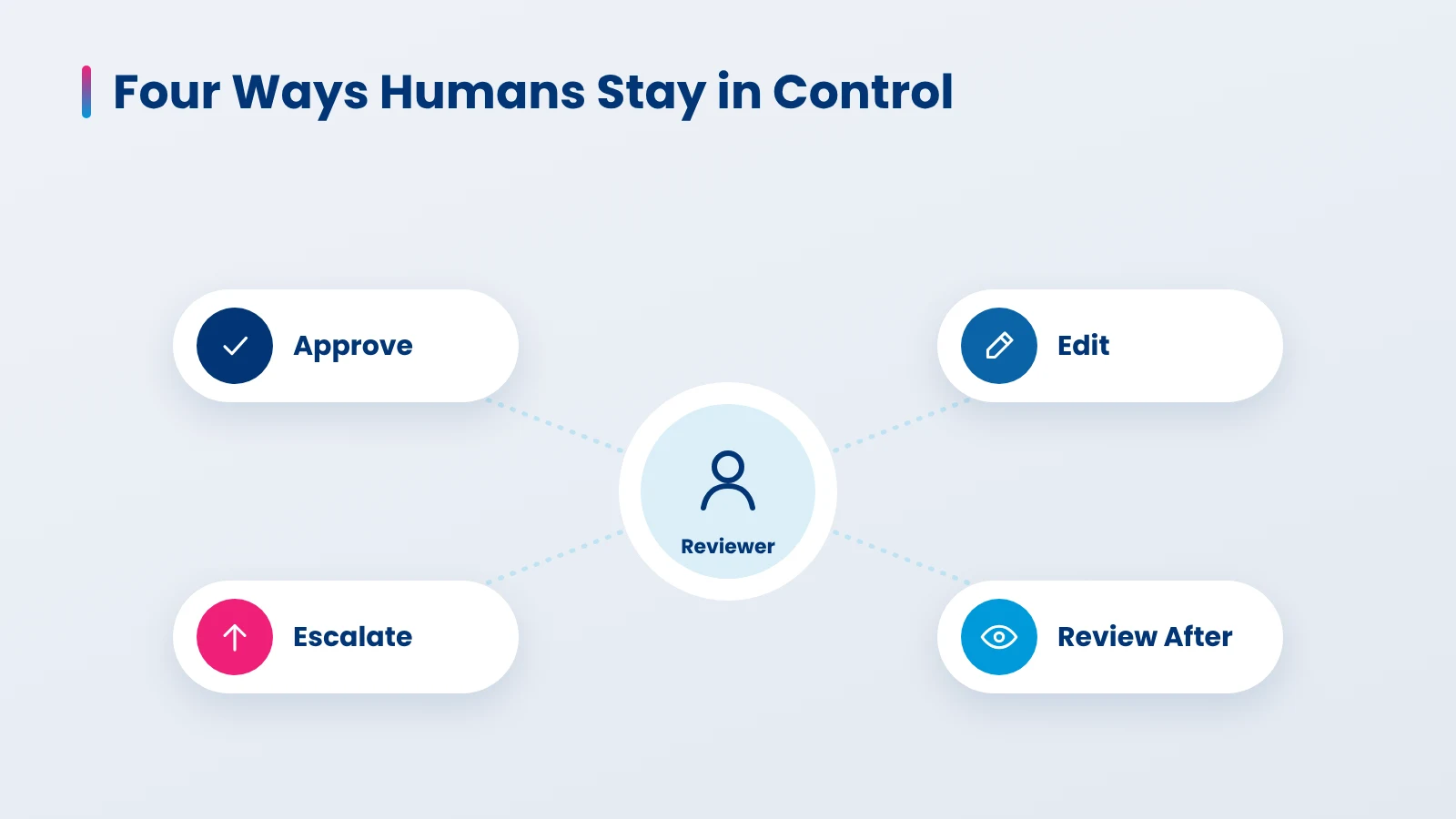
In practice, human oversight in AI agents takes four forms. Most production agents combine two or three of them.
| Pattern | What the human does | When the agent waits | Best for |
|---|---|---|---|
| Approve | Says yes or no to a proposed action | Before the action runs | Payments, refunds above a limit, sending external messages |
| Edit | Changes the agent’s draft or arguments, then approves | Before the action runs | Customer replies, contract clauses, report summaries |
| Escalate | Takes over a case the agent cannot handle | The agent hands off and stops | Low confidence, angry customers, out-of-policy requests |
| Review after | Checks a sample of completed actions | The agent does not wait | High-volume, low-risk, easily reversed actions |
The first three are human-in-the-loop in the strict sense, because the agent cannot finish without the person. The fourth is often called human-on-the-loop: the person supervises and can intervene, but the agent does not stop for them.
Regulation is pushing the same way. For high-risk AI systems, Article 14 of the EU AI Act requires that the people overseeing a system can understand its limits, override or reverse its output and stop it safely. If you are designing the wider system, our guide to enterprise AI agent architecture shows where this oversight layer sits alongside tools, memory and orchestration.
An agent should ask for approval when an action is costly, hard to reverse, affects someone outside the company or falls outside what the agent was built for. Everything else should run without waiting. Getting this split right matters more than any tool choice, because too many approvals slow the work and too few leave real risk unchecked.
| Tier | Example actions | Oversight | Agent waits? |
|---|---|---|---|
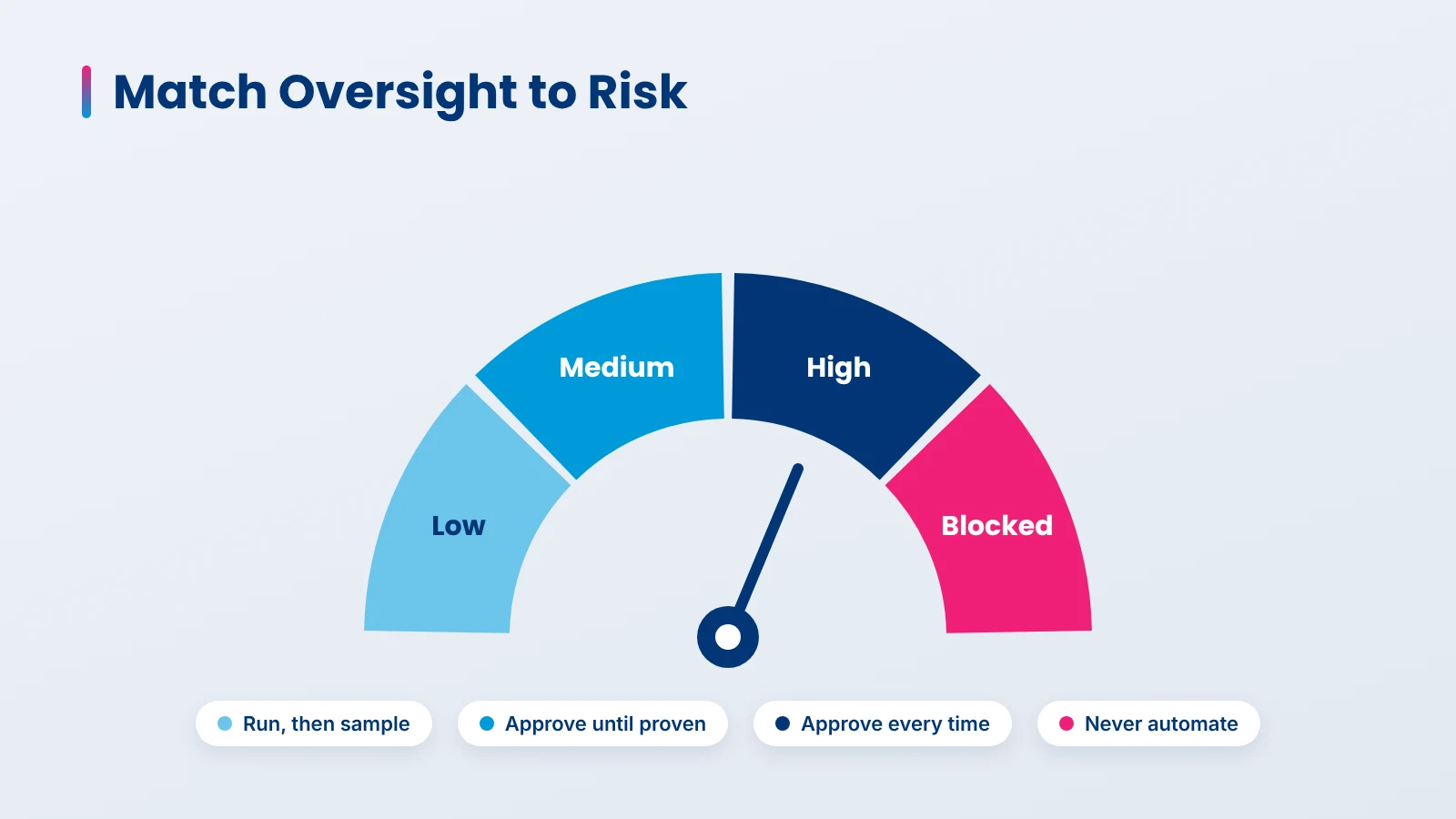
| Low | Look up an order, summarize a ticket, draft an internal note | Review a sample after the fact | No |
| Medium | Send a templated customer reply, update a non-financial record | Edit or approve until accuracy is proven, then sample | Yes at first, later no |
| High | Issue a refund over the limit, change payment details, approve a claim, send legal or medical advice | Approval required every time | Yes |
| Blocked | Delete customer data, move funds between accounts | Not allowed for the agent at all | Not applicable |
To place an action in a tier, ask four questions: Can it be undone easily? Does it move money or change records others rely on? Does it reach a customer, patient or regulator? Would a wrong result create legal exposure? Two or more yes answers usually means approval.
A practical pattern is to start strict and relax with evidence. Run a new agent with approvals on medium-risk actions, measure how often reviewers change or reject its proposals, and move an action down a tier only once that rate stays low over several weeks. Your AI agent evaluation suite and production traces give you the data to make that call.
The architecture rests on one idea: the agent must be able to stop mid-task, wait minutes or days for a person, and continue without losing its place. That needs six parts working together.
LangGraph, one of the common AI agent frameworks, handles this with its interrupt function. It needs a checkpointer to save state and a thread ID to find that state again. This simplified example pauses before a refund and lets the reviewer approve, edit the amount or reject.
from typing import TypedDict
from langgraph.checkpoint.memory import InMemorySaver  # use a durable store in production
from langgraph.graph import StateGraph, START, END
from langgraph.types import interrupt, Command

class State(TypedDict):
    order_id: str
    amount: float
    status: str

def review_refund(state: State):
    decision = interrupt({
        "action": "issue_refund",
        "order_id": state["order_id"],
        "amount": state["amount"],
        "reason": "Item arrived damaged; photo attached by customer",
    })
    if decision["type"] == "reject":
        return {"status": "rejected: " + decision["note"]}
    amount = decision.get("amount", state["amount"])  # reviewer may edit
    issue_refund(state["order_id"], amount)  # side effect runs after approval
    return {"amount": amount, "status": "refunded"}

builder = StateGraph(State)
builder.add_node("review_refund", review_refund)
builder.add_edge(START, "review_refund")
builder.add_edge("review_refund", END)
graph = builder.compile(checkpointer=InMemorySaver())

config = {"configurable": {"thread_id": "refund-4471"}}
result = graph.invoke({"order_id": "4471", "amount": 89.0, "status": "pending"}, config)
print(result["__interrupt__"])  # shown to the reviewer

# Later, after the reviewer decides:
graph.invoke(Command(resume={"type": "approve", "amount": 75.0}), config)
Two details from the LangGraph docs matter in production. When the graph resumes, the node runs again from the top, so any side effect placed before interrupt() can repeat; keep side effects after it, as above, or make them idempotent. And never wrap interrupt() in a broad try/except, because it works by raising an exception.
Other frameworks offer the same pattern. The OpenAI Agents SDK lets you mark a tool with needs_approval, returns paused calls as interruptions, and resumes the run once you approve or reject them on the saved run state. Whichever you use, keep saved state and reviewer decisions on your own servers, not in the client.
Agent approval workflows succeed or fail on what the reviewer sees. Show the proposed action, the evidence the agent used, its stated reason, the policy that triggered review and what happens on approve versus reject. Add a time limit with a safe default, such as cancel after 24 hours, so requests never sit forever. Every decision should be linked to its trace, which is where AI agent observability and human review meet.
They deliver the most value in workflows with high volume and a small share of high-stakes decisions. The agent clears the routine work, and people spend their time only on the cases that need judgment.
| Industry | What the agent handles | What the human decides |
|---|---|---|
| Customer support | Answers, order lookups, standard returns | Refunds above a limit, goodwill credits, complaints at risk of escalation |
| Finance and accounts payable | Invoice matching, coding, duplicate checks | Payments to new vendors, changed bank details, mismatched amounts |
| Insurance | Claim intake, document checks, coverage lookup | Claim approval or denial, suspected fraud |
| Healthcare | Scheduling, prior-authorization paperwork, note drafting | Anything clinical, plus what is sent to the patient |
| Fraud and risk | Alert triage, evidence gathering, case summaries | Blocking accounts, filing reports, closing cases |
| Compliance and legal | Clause comparison, policy checks, first-draft responses | Final wording, sign-off, anything sent to a regulator |
| Software and IT operations | Diagnosis, proposed fixes, ticket updates | Production deploys, permission changes, data deletion |
A few examples show the pattern in practice. Customer service agents resolve most requests alone and route refunds over a set amount to a team lead. In accounts payable, an agent can match invoices to purchase orders all day, but a change to a supplier’s bank details should always wait for a person, because it is a common route for payment fraud. Fraud detection agents do well at gathering evidence, while the decision to freeze an account stays with an analyst. In clinical settings, AI agents in healthcare should draft and organize, with a clinician making every care decision.
The most common failure is not missing oversight but oversight that looks real and is not. These are the problems we see most often.
For regulated teams, the audit trail matters as much as the review itself. Record who approved what, when and on what evidence, as part of a wider agentic AI governance framework.
Use this list when you add human checkpoints to an agent, whether it is new or already in production.
We map the client’s workflow action by action before writing agent code, and agree on the risk tier and review rule for each with the people who will do the reviewing. For teams still deciding where agents fit, this mapping often starts as part of our AI consulting services, before any build begins. Approval points are built into the agent’s design from the first version, with saved state, timeouts and an audit log, rather than bolted on after launch. Once the agent is live, we share approval and rejection rates with the client’s team and only reduce oversight on an action when the data supports it.
Our ISO/IEC 42001 certification for AI management systems and SOC 2 Type II attestation shape how we handle reviewer access, decision records and data retention.
For agents that need human checkpoints built in from day one, see our AI agent development services. For wider AI products and integrations, our AI development services cover the full build.
Human-in-the-loop AI agents work best when oversight is targeted, not total. Decide which actions need a person using risk tiers and fixed rules, build the pause, save and resume flow into the agent from the start, and give reviewers the context to make a real decision rather than a reflex click. Then measure: approval and rejection rates show where the agent is ready for more independence and where it still needs a person. Teams that treat human review as a designed part of the system get agents that move fast on routine work and stay safe on the decisions that matter.
Human-in-the-loop AI agents are AI agents that pause at set points so a person can approve, edit or reject an action before it runs, or take over a case the agent cannot handle. They let teams automate routine work while keeping people responsible for decisions that are costly, irreversible or regulated.
In human-in-the-loop setups, the agent stops and waits for a person before certain actions. In human-on-the-loop setups, the agent acts on its own while a person monitors and can step in or review a sample afterwards. Many systems use both, depending on the risk of each action.
Actions that move money, change records others depend on, reach customers or regulators, or cannot be easily undone. Examples include large refunds, changes to payment details, claim decisions and production deployments. Low-risk actions like lookups and drafts can run without waiting and be reviewed by sampling.
Only for the actions you route to review. Well-designed agent approval workflows limit review to high-risk steps, so most work still runs without delay. Slowdowns usually come from reviewing everything, unclear ownership of the review queue or missing timeouts, all of which can be fixed in the design.
Show the evidence and reasoning behind each proposed action, keep the number of approvals manageable, track each reviewer’s edit and rejection rates, and occasionally include known-bad cases to confirm reviews are real. Research shows over-reliance on automation affects experts too, so screen design matters more than training alone.
Every edit and rejection is a labeled example of where the agent went wrong. Adding these cases to the evaluation suite and adjusting prompts, tools or rules reduces the same errors. As accuracy holds steady for an action, it can move to a lower risk tier with lighter review.

Based on this article's topic
How AI agent memory works: short-term vs long-term memory, episodic, semantic and procedural types, storage choices, tools, and how to keep memory safe.
How to design AI agent guardrails in layers: permissions, input and output checks, tool limits, approvals, PII redaction, tools and trade-offs.

Discover how AI in travel and hospitality improves guest experiences, automates bookings, optimizes hotel operations, and transforms travel management.