Jetpack Compose in 2027: A Complete Guide for Android
Nov 16, 2026 App Development
Nov 16, 2026 App Development
Nov 16, 2026 App Development
Android UI development has reached a turning point. For years, apps were built with XML layouts and the View system. In 2027, Jetpack Compose is no longer just the modern option. It is the foundation Google is building Android around.
With Android 17, Google has made Android Compose-first. New APIs, libraries and tools are designed for Compose, while older View-based libraries now receive only critical fixes. For any business planning a new Android app or maintaining an older one, that changes the math on cost, timelines and long-term support.
This jetpack compose guide explains what Compose is, why it matters now, how it compares with XML, what it means for AI features and large screens, and how to plan a migration. If you are planning a build, our team works as a custom Android app development company for businesses in the US and worldwide.
Jetpack Compose is Android’s modern toolkit for building user interfaces. Instead of designing screens in XML files and then updating them from code, developers describe what the UI should look like for a given state, written entirely in Kotlin. When the data changes, Compose updates the screen automatically.
With XML layouts, the interface and the logic live in separate places, and developers must find views and update them by hand. With Compose, the UI is just Kotlin functions, called composables, that take data and return UI. That usually means less code, fewer sync bugs between screen and data, and faster changes.
In short, if you are asking what is jetpack compose, the business answer is simple: it is how new Android apps are built in 2027.
Also Read: Kotlin vs Java for Android
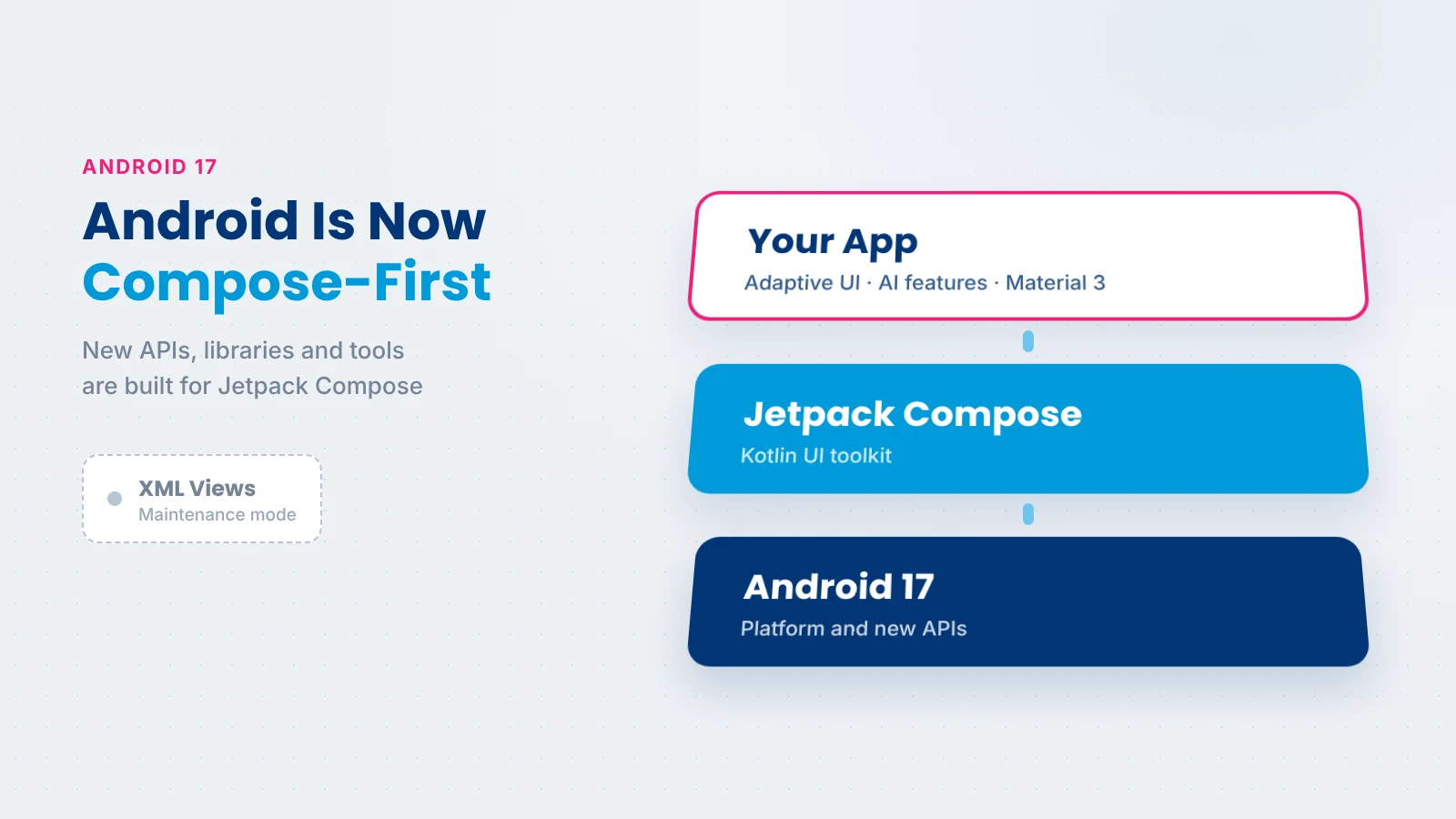
In its Android 17 announcement, Google set a clear direction for Android UI development:
For businesses, this has practical consequences. XML-based apps will keep working, but new Android features will increasingly arrive for Compose first, or only for Compose. The longer an app stays on Views, the more effort it takes to adopt new capabilities, and the more its codebase drifts from current Android practice.
If your app is built on Views today, three questions help you plan:
The answers show where Compose will pay off first, and which parts of the app can stay on Views for now.
Google also describes Kotlin as the language Android’s modern UI toolkit is built on, so Compose and Kotlin now go together for new Android work.
This table sums up the jetpack compose vs xml comparison for Android projects in 2027.
| Factor | Jetpack Compose | XML Views |
|---|---|---|
| How UI is built | Kotlin functions that describe UI from state | XML layout files plus code that updates views |
| Code amount | Usually less code per screen | More code and boilerplate |
| Live previews | Built-in previews in Android Studio | Layout editor previews, less flexible |
| State handling | UI updates automatically when state changes | Manual updates, easier to get out of sync |
| Adaptive layouts | Adaptive navigation and multi-pane layouts built in | Possible, with more manual work |
| Animations | Simple, declarative animation APIs | More code for complex animations |
| Testing | Dedicated Compose testing APIs | Mature tools, more setup per screen |
| Google’s future support | Focus of new APIs, libraries and guidance | Maintenance mode, critical fixes only |
| Learning curve | New mindset for View developers | Familiar to long-time Android teams |
| Interop | Works inside View-based apps | Can host Compose screens |
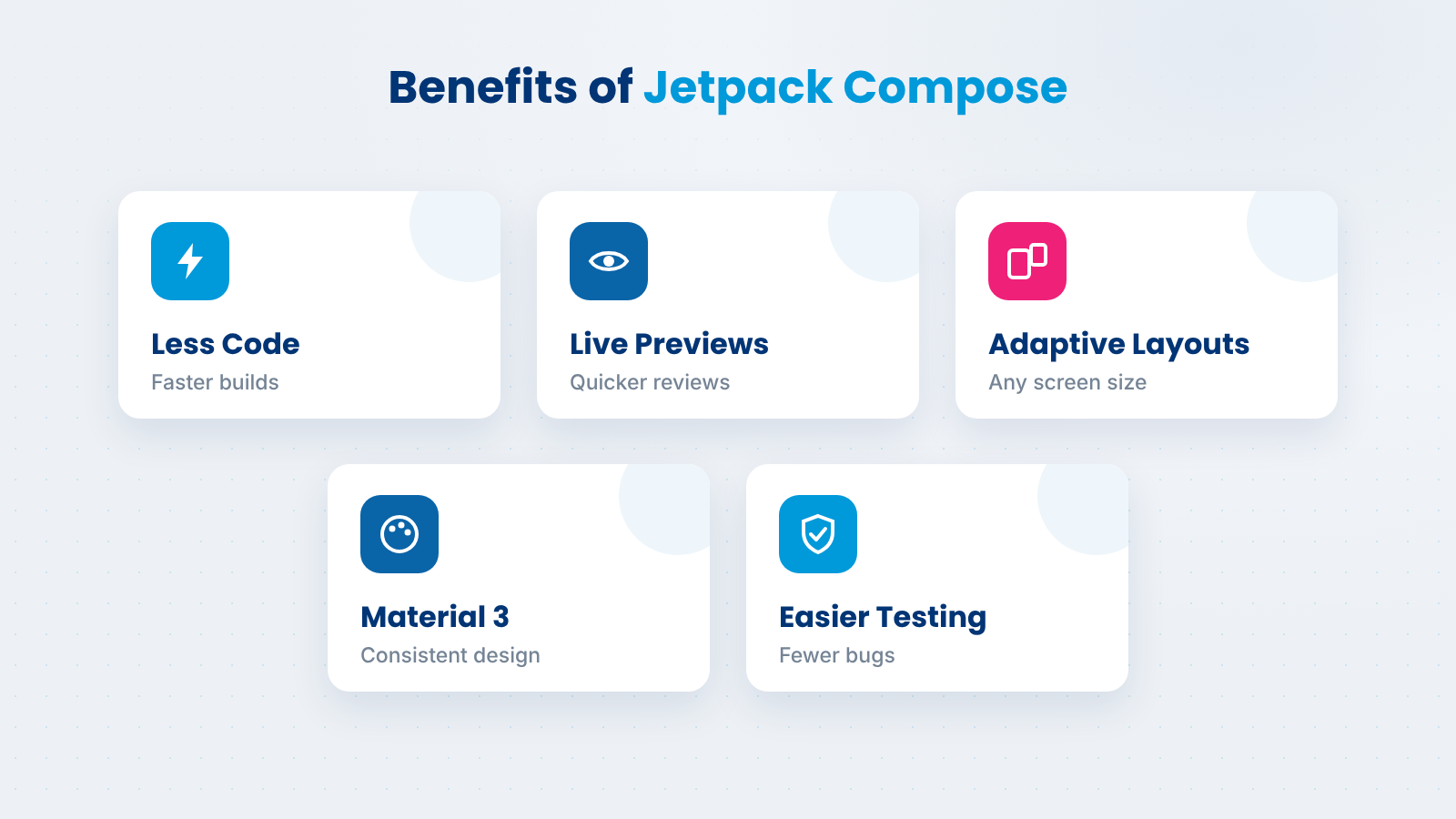
The benefits of jetpack compose show up in delivery speed, product quality and long-term cost.
Composables are small, reusable functions. Teams build screens from shared components instead of repeating layout code, which shortens build time for lists, forms, dashboards and settings.
Android Studio previews show composables in different states, themes and screen sizes without running the full app. Designers and developers can review changes quickly, which cuts back-and-forth.
Compose layouts respond to available space, and Google provides adaptive navigation and multi-pane patterns. That makes it easier to support phones, tablets, foldables and desktop-style windows from one codebase.
Compose works directly with Material 3, so brand colors, typography and components stay consistent across the app. Design changes can be applied once at the theme level instead of screen by screen.
Because the UI is driven by state, it is easier to test and reason about. Less code and fewer manual view updates mean fewer bugs and faster fixes after launch.
A few core ideas explain how jetpack compose android apps are built:
Here is a simple example: a card with a button that updates a counter.
@Composable
fun OrderCard(itemName: String) {
    var quantity by remember { mutableStateOf(1) }
    Card(modifier = Modifier.padding(16.dp)) {
        Column(modifier = Modifier.padding(16.dp)) {
            Text(itemName, style = MaterialTheme.typography.titleMedium)
            Text("Quantity: $quantity")
            Button(onClick = { quantity++ }) {
                Text("Add one")
            }
        }
    }
}
When the user taps the button, the quantity changes and Compose updates the text automatically. No manual view lookups or update calls are needed.
Long lists work the same way. Instead of RecyclerView adapters and view holders, Compose uses lazy layouts such as LazyColumn, which render only the items on screen. A list that once needed an adapter, a layout file and binding code can often be written as a few lines of Kotlin.
Good performance in Compose comes from a few habits: keep state as close as possible to where it is used, avoid heavy work inside composables, and use lazy layouts for long lists. Android Studio includes tools to inspect recomposition, so teams can spot screens that redraw more than they should.
Android 17 raises the bar for large screens. According to the Android 17 features documentation and announcement, apps targeting API level 37 can no longer opt out of orientation and resizability rules on large screens. Games are the main exception.
In practice, your app must look and work well in any window size: phones, tablets, foldables and desktop-style windows. Apps that lock orientation or assume a phone-sized screen will need updates.
A quick large-screen readiness check for any Android app:
Compose makes this much easier. Adaptive navigation can switch between a bottom bar and a side rail, and multi-pane layouts can show a list and its details side by side when space allows. Google also offers a Compose adaptive skill to help with adaptive navigation, multi-pane layouts and non-touch input.
Compose is also where Android’s newest AI capabilities fit most naturally.
Gemini Nano runs on the device through Android’s AICore service, and the ML Kit GenAI APIs use it for tasks such as summarization, proofreading, rewriting, image description, speech recognition and semantic search. Compose makes it simple to build the screens around these features, such as a summary card, a smart search bar or an image description panel. Because processing stays on the device, user data does not need to leave the phone.
AppFunctions, currently in alpha, lets apps expose their capabilities as tools that AI agents and assistants can discover and run. Google describes it as the on-device equivalent of the Model Context Protocol. A booking or delivery app, for example, could let an assistant check an order or make a reservation for the user.
Google’s AI-driven XML-to-Compose skill helps convert legacy layouts, and AI assistance in Android Studio helps developers write and refactor composables faster. These tools shorten migration work, though the output still needs review. If you are planning AI features for your product, our AI app development services cover on-device AI, LLM integration and AI agents.
Compose Multiplatform, from JetBrains, extends the Compose approach beyond Android. JetBrains lists Android, iOS and desktop as stable and ready for production, with web support in beta. This lets teams share both UI and business logic across Android and iOS.
It is a good fit when you want one Kotlin codebase and a consistent UI on both platforms. If your iOS app needs the most native Apple experience, including the newest Apple Intelligence features, building the iOS UI natively in SwiftUI is often the better choice. Flutter and React Native are other cross-platform options, each with its own language and ecosystem.
You don’t need to rewrite your app to adopt Compose. Compose and Views run side by side: ComposeView places Compose UI inside an XML screen, and AndroidView places a View inside a Compose screen. That makes it practical to migrate XML to jetpack compose one piece at a time.
Migrate now if:
Migration can wait if:
A phased migration approach
Start with the market benchmarks. According to Clutch’s app development pricing data, the average app project costs about $90,780 and takes around 11 months, most reviewed projects fall between $10,000 and $49,999, and Android developers typically charge $25 to $49 per hour.
New builds. For a new app, Compose generally shortens UI work thanks to reusable components and previews, which helps keep a project toward the lower end of its range.
Migration. Migrating an existing app is usually priced like regular feature work and spread across releases. The cost depends on the number of screens, custom views and how much logic is tied to the old UI.
Maintenance. Yearly app maintenance commonly runs about 15% to 20% of the original build cost, as DesignRush notes. With Views in maintenance mode, keeping an XML app current may cost more over time, while a Compose codebase stays aligned with new Android releases.
The main factors that move Compose project costs are:
Working with an experienced custom mobile app development company helps you scope the right mix of new build and migration for your budget.
Also Read: Mobile App Development Cost
At Xicom, new Android apps start on Kotlin and Jetpack Compose. For existing apps, we review the codebase, the screens that matter most and your roadmap, then plan a phased migration that keeps releases on schedule.
With 20+ years in software development, 750+ clients and 1,800+ projects delivered, our team of 350+ IT professionals builds Android apps across healthcare, fintech, retail, logistics and more. We hold a 4.8 rating on Clutch and follow CMMi Level 3 processes for predictable delivery.
If you are planning a new Compose app or moving an XML app forward, talk to us about your project.
Jetpack Compose is now the center of Android UI development. With Android 17, new APIs, tools and guidance are built for Compose, large-screen support is required, and AI features fit naturally into Compose screens.
For new apps, starting with Compose is the clear choice. For existing XML apps, a phased migration lets you modernize without disrupting users, starting with new screens and moving the rest as your roadmap allows.
Jetpack Compose is used to build the user interface of Android apps. Developers write UI in Kotlin as composable functions that describe screens based on data, and Compose updates them automatically when that data changes. It covers everything from simple screens to adaptive layouts for tablets, foldables and large screens.
For new Android apps, yes in most cases. Compose usually needs less code, offers live previews, handles state more safely and makes adaptive layouts easier. With Android 17, Google builds new APIs, libraries and guidance for Compose, while View-based libraries are in maintenance mode.
Yes. XML layouts and Views still work and receive critical bug fixes. However, Google has moved View-based components and libraries such as Fragments and RecyclerView into maintenance mode, and new Android features are built for Compose, so XML apps will find it harder to adopt new capabilities over time.
Yes. Jetpack Compose is built for Kotlin, and composables are written as Kotlin functions. Apps that are mostly Java can still add Compose screens, but those screens are written in Kotlin. This is one reason many teams move gradually from Java to Kotlin as they adopt Compose.
It depends on the number of screens, custom views and how much logic is tied to the old UI. Because Compose and Views work side by side, most teams migrate in phases over several releases rather than all at once. A short code audit is the most reliable way to estimate the timeline.
Jetpack Compose itself is for Android, but Compose Multiplatform from JetBrains brings the same approach to iOS. JetBrains lists Android, iOS and desktop as stable for production. Teams that want the most native Apple experience often still build the iOS UI in SwiftUI.
Yes. Compose supports large apps through reusable components, consistent Material 3 theming, testing APIs and adaptive layouts. Enterprises with large XML codebases usually adopt it gradually, building new features in Compose and converting older screens over time, which keeps risk low.

Based on this article's topic
SwiftUI vs UIKit in 2027: compare cost, speed, AI features and foldable support to choose the right framework for your iOS app, with a clear migration path.
Kotlin vs Java for Android in 2027: compare Compose support, null safety, AI features, cost and migration to pick the right language for your app.

Fintech app development cost ranges from $35,000 to $450,000+. See prices by app type, feature and region, plus AI, compliance and running costs.