How Long Does It Take to Develop an App? Timeline by Complexity, Platform and Phase
Nov 18, 2026 App Development
Nov 18, 2026 App Development
Nov 18, 2026 App Development
Quick Answer
How long does it take to develop an app? A simple app usually takes 2-4 months to develop, a medium-complexity app 4-7 months and a complex app 7-12 months or longer. Development itself takes about half of that time. Discovery, design, testing and app store release make up the rest.
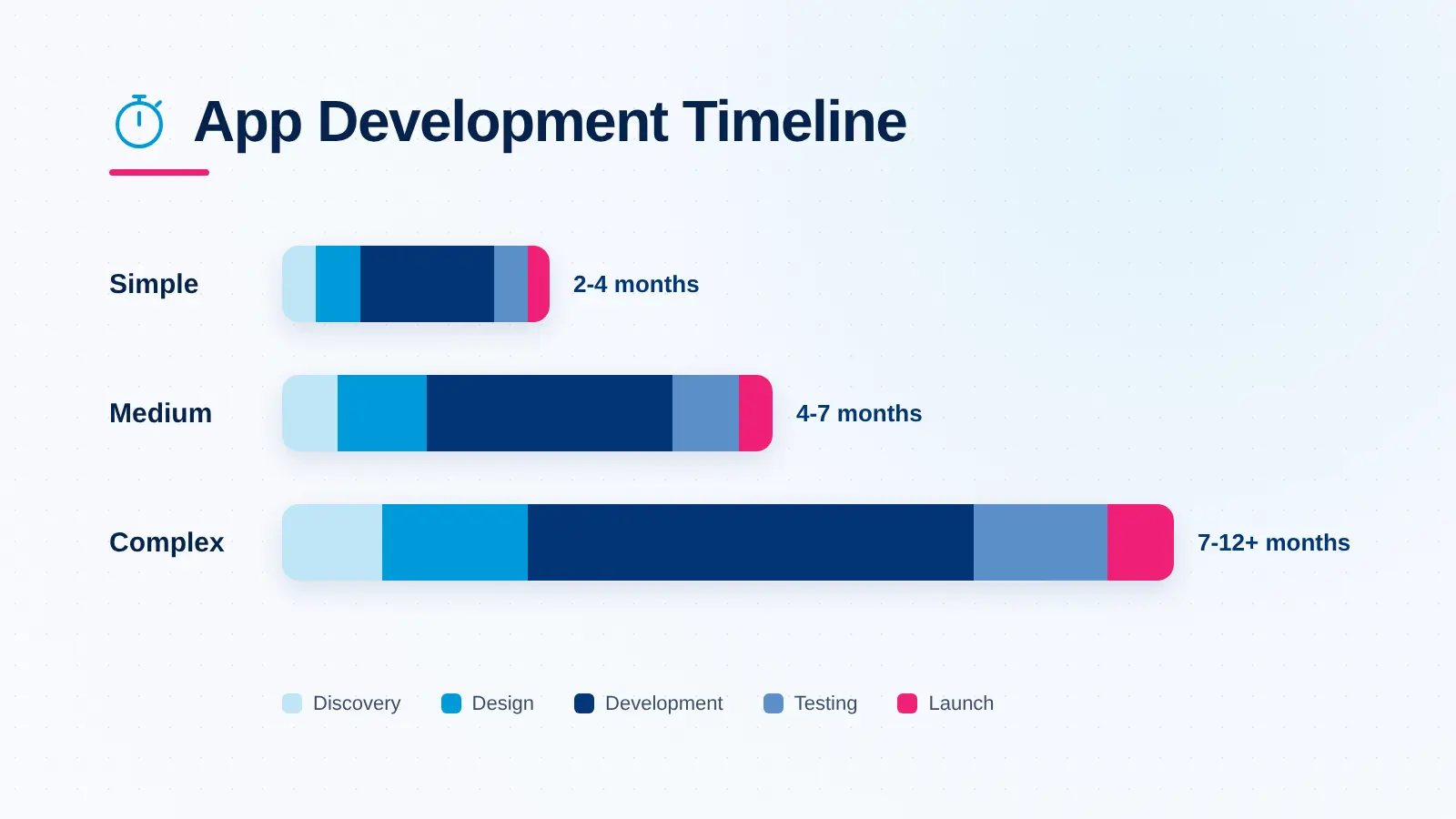
A launch date set before the scope is clear is the most common reason app projects run late. So before asking how long does it take to develop an app, it helps to know what actually drives the number: the features you need, the platforms you target, the integrations behind the screens and the team doing the work. This guide breaks the timeline down with one consistent set of ranges, so every phase adds up to the total.
Complexity is the single best predictor of your timeline. It is less about the number of screens and more about what happens behind them: user roles, data flows, integrations and the rules the app must follow.
| Complexity | Typical features | Example apps | Typical timeline |
|---|---|---|---|
| Simple | Login, profile, a few core screens, basic data storage, push notifications | Event app, calculator or utility app, simple booking form | 2-4 months (8-16 weeks) |
| Medium | Multiple user roles, payments, maps, chat, admin panel, third-party APIs | Ecommerce app, fitness app, appointment booking platform | 4-7 months (16-28 weeks) |
| Complex | Real-time features, multiple connected apps, AI features, compliance, legacy integrations, high security | Fintech, telemedicine, on-demand delivery, enterprise platforms | 7-12+ months (28-52 weeks) |
A useful test: if your app needs more than one user-facing app (for example, a customer app, a driver app and an admin dashboard), or if it handles money or health data, plan for the medium or complex range even when the feature list looks short. The same tiers apply whether you develop a mobile app, a web app or both.
Every app goes through the same core phases, and the size of each one scales with complexity. The ranges below add up to the totals in the table above.
| Phase | Simple | Medium | Complex |
|---|---|---|---|
| Discovery and planning | 1-2 weeks | 2-3 weeks | 3-6 weeks |
| UI/UX design | 1-3 weeks | 3-5 weeks | 5-8 weeks |
| Development (frontend, backend, integrations) | 4-8 weeks | 8-14 weeks | 14-26 weeks |
| QA and testing | 1-2 weeks | 2-4 weeks | 4-8 weeks |
| Deployment and app store release | 1 week | 1-2 weeks | 2-4 weeks |
| Total | 8-16 weeks | 16-28 weeks | 28-52 weeks |
Design and development often overlap in practice, and testing runs alongside development rather than only at the end. The table shows each phase on its own so you can see where the time goes.
This is where requirements, user flows, technical architecture and the feature list for the first release are agreed. It feels like the easiest phase to cut, and it is the most expensive one to skip. Most scope creep later in a project traces back to questions nobody answered here.
Designers turn the user flows into wireframes, then into a clickable prototype and final screens. A prototype that real users have tapped through catches navigation problems while they are still cheap to fix.
Frontend developers build the app screens, backend developers build the APIs, database and admin tools, and both connect third-party services such as payments, maps or messaging. This phase takes about half of the total timeline at every level of complexity.
Testers check functionality, performance, security and behavior across devices and operating system versions. Complex apps need more of this phase because every integration and user role multiplies the number of paths to test.
The app is prepared for the stores with listings, screenshots, privacy details and production builds, then submitted for review. Store review itself is usually quick, but the preparation and any rejections take longer than most teams expect.
The ranges in this guide come from Xicom’s delivery experience across 1,800+ projects over more than 20 years, not from a single survey. Each estimate assumes the following setup:
Disclaimer: These are typical planning ranges, not a quote or a guaranteed delivery date. Your actual timeline depends on your scope, integrations, compliance requirements, team setup and how quickly decisions are made. A short discovery phase is the most reliable way to get an estimate for your specific project.
Also Read: AI App Development Cost
When teams ask how long does it take to build an app for their industry, the honest answer is that the industry often matters more than the screen count, because it decides how much compliance, security and integration work is involved. These ranges sit inside the complexity tiers above.
| App type | Typical timeline | What drives the time |
|---|---|---|
| Education and e-learning | 4-7 months | Course content structure, video playback, progress tracking |
| Ecommerce | 4-7 months | Product catalog, cart and checkout, payment gateway, order management |
| Social and community | 5-9 months | Feeds, real-time chat, media uploads, content moderation |
| On-demand and delivery | 6-10 months | Separate customer, driver and admin apps, live tracking, dispatch logic |
| Fintech and payments | 7-12 months | Security, KYC, regulatory requirements, banking integrations |
| Healthcare and telemedicine | 7-12 months | HIPAA compliance, video consultations, EHR integrations |
| Enterprise internal apps | 4-12 months | Number of legacy systems, single sign-on, role-based access |
Two apps in the same category can land at opposite ends of these ranges. A delivery app for a single restaurant is a very different project from a multi-city marketplace with its own driver network.
On its own, an Android app follows the same phase timeline as above. What adds time is the variety of devices it has to run on. Android apps need testing across many screen sizes, manufacturers and OS versions, and tablets and foldables increasingly need proper adaptive layouts rather than stretched phone screens.
Google Play also has release requirements that belong in the plan from day one:
An iOS app usually needs slightly less device testing than Android, because Apple supports a smaller, more consistent range of devices. Otherwise, the phases and durations match the tables above.
The App Store review step is faster than many teams assume. Apple says App Review typically reviews at least 50% of submissions in under 24 hours and 90% in under 48 hours. The real risk is rejection. Apple applies its App Review Guidelines strictly, and a rejection for missing privacy details, broken sign-in or incomplete metadata sends the app back into the queue after the fix. Budget a week for release so a rejection does not move your launch date.
Scope decisions that stretch an iOS timeline tend to raise iOS app development cost by a similar margin, which is why trimming the first release helps both.
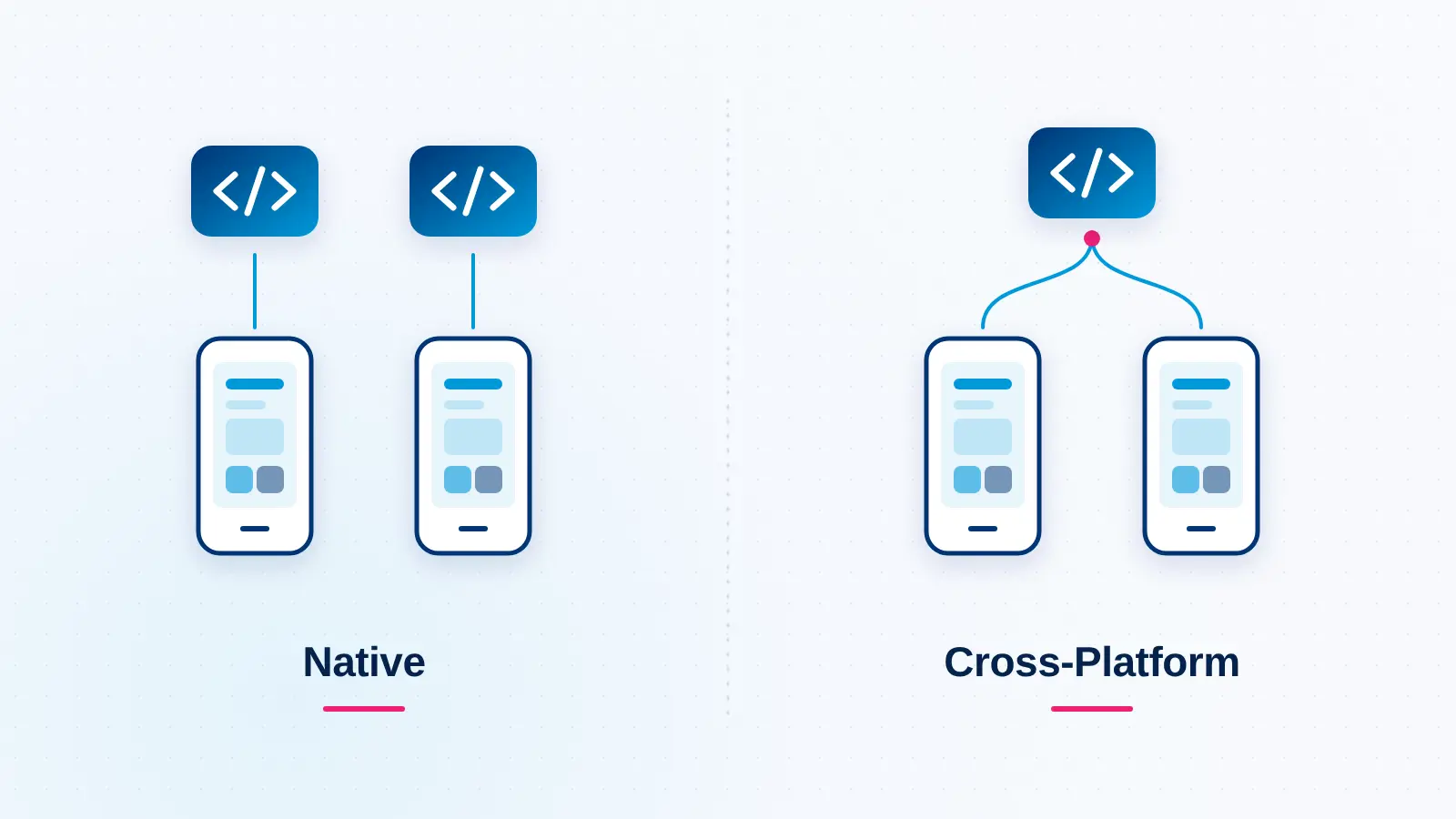
If you need to develop a mobile app for both stores, building separate native apps for iOS and Android means two codebases, written in Swift and Kotlin, often by two teams. Each platform can run in parallel, but every feature is built, tested and maintained twice.
Cross-platform frameworks such as Flutter and React Native let one team write most of the app once and ship it to both stores. For most business apps, that shortens the time to launch on both platforms and keeps the two versions in step. Native still makes sense when an app depends heavily on platform-specific features, advanced graphics or maximum performance.
A practical way to decide:
Teams that need both stores quickly often start with cross-platform app development and move individual modules to native code only where performance demands it.
When people ask how long does it take to make an app, they usually picture the features. In practice, these factors move the timeline more:
AI features deserve a special note, because they are the newest source of timeline surprises. Deciding early which features genuinely need AI, and which data they depend on, is the kind of question an AI consulting review settles before it becomes a mid-project delay.
Also Read: How Much Does It Cost to Develop an App
The fastest teams do not skip phases. They reduce what each phase has to carry. If you need to create an app on a tighter schedule, these levers work:
Launch is not the end of the timeline. Plan for a stabilization period of two to four weeks after release to fix issues that only appear with real users, devices and traffic. This period is not included in the totals above.
After that, most apps move into a regular update cycle. Each year brings new iOS and Android versions, new store requirements and new devices, so budget time for at least a few maintenance releases a year, alongside new features.
The same phases apply when you build a web application. Web apps skip app store review, and one codebase reaches every browser, so release is simpler. Design and development time is otherwise similar for the same scope, and many products launch a web app and mobile apps together on a shared backend.
So, how long does it take to develop an app? For most businesses, 2-4 months for a simple app, 4-7 months for a medium-complexity app and 7-12 months or more for a complex one. The exact number depends less on screen count and more on integrations, compliance, platform choices and how clearly the scope is defined at the start.
The surest way to protect a launch date is to invest in discovery, launch a focused first version and choose a team that has delivered similar apps before. If you are planning a new product, our custom mobile app development services team can help you scope a realistic timeline, and our custom AI development services cover the AI features that more apps now include from day one.
It usually takes 2-4 months to develop a simple app, 4-7 months for a medium-complexity app and 7-12 months or more for a complex app. The total covers discovery, design, development, testing and app store release. Integrations, compliance requirements and the number of platforms have the biggest effect on where a project lands.
With one developer, an app takes noticeably longer than the team ranges in this guide, because design, backend, frontend and testing happen one after another instead of in parallel. A solo developer can handle a simple app, but medium and complex apps usually need a team to finish in a reasonable time.
A clickable prototype or a very small MVP with a few screens and no complex backend can be built in about a month. A production-ready app with user accounts, a backend, testing and app store release usually needs at least two months, even at the simple end of the range.
Apple says App Review typically handles at least 50% of submissions within 24 hours and 90% within 48 hours. Google Play reviews often take a few days. New personal Google Play accounts must first run a 14-day closed test with at least 12 testers. Rejections restart the clock, so plan a buffer.
Development is the longest phase, taking about half of the total timeline for simple, medium and complex apps alike. It covers frontend screens, backend systems and third-party integrations. Discovery and design are shorter, but skipping or rushing them is the most common reason development runs longer than planned.
Yes, for most business apps. Cross-platform frameworks such as Flutter and React Native let one team build a single codebase for both iOS and Android, which avoids building and testing every feature twice. Native development is still the better choice for apps that depend on advanced hardware access, graphics or performance.

Swift vs Objective-C compared on safety, concurrency, performance, interop and hiring, plus a practical playbook for migrating legacy iOS code.
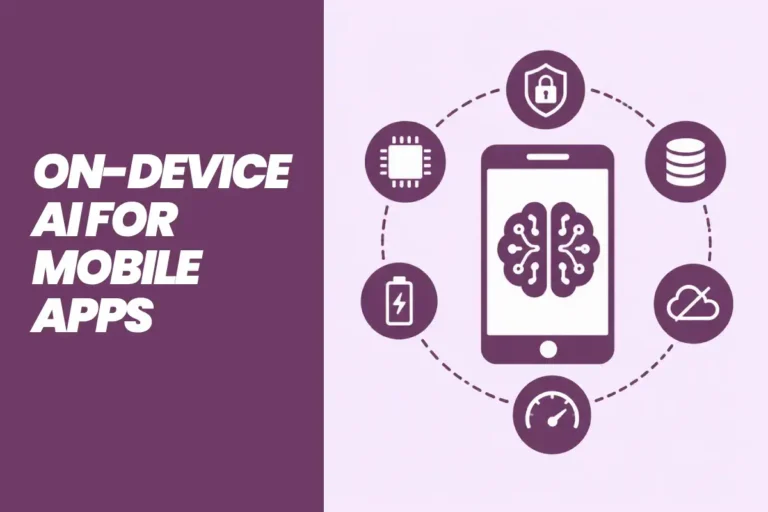
See how on-device AI works in mobile apps, which Android, iOS and cross-platform frameworks to use, real use cases and the steps to build.
Jetpack Compose in 2027: learn what it is, how it compares with XML, why Android 17 is Compose-first, and how to plan your Android app migration and costs.