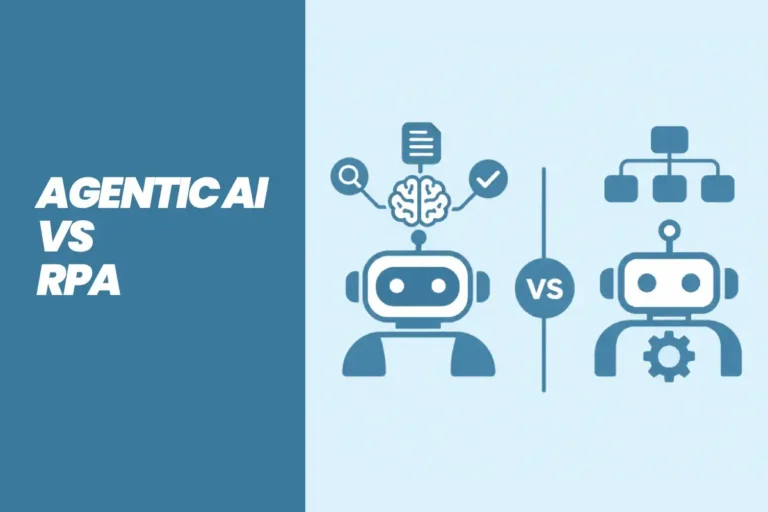
Agentic AI vs RPA (2027): Key Differences Explained
Agentic AI vs RPA explained for enterprises. Compare differences, costs, use cases, and risks, plus when to use each, a hybrid model, and a migration roadmap.
Nov 20, 2026 Artificial Intelligence
Enterprise automation has changed fast. A few years ago, most companies used bots to copy data between systems and follow fixed rules. Today, AI automation tools can read documents, make decisions within set limits, and run AI agents that complete multi-step work across your ERP, CRM, and support systems.
This shift is moving into mainstream software. Gartner predicts that up to 40% of enterprise applications will include task-specific AI agents by 2026, up from less than 5% in 2025. That makes your platform choice a long-term decision. The wrong tool can mean rising costs at scale, weak governance, or automations that cannot reach your core systems. This guide compares 10 leading enterprise AI automation tools and helps you decide whether to buy, integrate, or build.
AI automation tools are platforms that automate business processes using artificial intelligence, not just fixed rules. They combine workflow automation with capabilities such as natural language understanding, document processing, and AI agents that can plan and complete tasks. Unlike traditional automation, they can handle unstructured data like emails and PDFs, adapt to variations, and decide the next step within limits you define.
| Factor | Traditional RPA / Rule-Based Automation | AI Automation |
|---|---|---|
| Decision-making | Follows fixed if/then rules | Makes context-based decisions within set limits |
| Adaptability | Breaks when screens or inputs change | Handles variations in inputs and formats |
| Data types | Structured data only | Structured and unstructured data (emails, PDFs, chats) |
| Setup | Process must be mapped step by step | Can be set up with natural language plus guardrails |
| Best use | Stable, high-volume, repetitive tasks | Variable, judgment-based, multi-system workflows |
In practice, most enterprises use both. RPA handles stable tasks in systems without APIs, while AI handles reading, classifying, and deciding. Many of the platforms below now combine the two.
Also Read: AI Tools for Mobile App Development
We focused on what matters to enterprise buyers rather than ease of use for individuals. Each tool was reviewed against official vendor documentation and these criteria:
Disclosure: Xicom is not affiliated with any vendor listed here. We help enterprises build custom AI automation and integrate these platforms with existing systems, and this guide reflects that perspective. Features and pricing change often, so confirm current details with each vendor.
| Tool | Best For | Deployment | AI Agent Support | Pricing Model |
|---|---|---|---|---|
| UiPath | Scaling from RPA to AI agents | Cloud, on-premise | Yes (Agent Builder, Maestro) | Self-service plans and custom enterprise pricing |
| Microsoft Power Automate + Copilot Studio | Microsoft 365 and Azure environments | Cloud, desktop flows | Yes (Copilot Studio) | Per user, per bot, and usage-based |
| Automation Anywhere | Compliance-led RPA and agents | Cloud-native, on-premise options | Yes | Custom pricing |
| Workato | Integration-led orchestration | Cloud | Yes (Workato Genie) | Custom pricing |
| ServiceNow AI Platform | IT, HR, and service workflows | Cloud | Yes (Now Assist, AI agents) | Custom pricing |
| Salesforce Agentforce | CRM-native sales and service agents | Cloud | Yes | Consumption-based and per-user options |
| IBM watsonx Orchestrate | Regulated industries, hybrid cloud | IBM Cloud, AWS, on-premise | Yes | Tiered plans plus custom |
| n8n | Self-hosted, data-sensitive automation | Self-hosted, cloud | Yes (AI agent nodes) | Free self-hosted edition, paid cloud and enterprise plans |
| Zapier (Enterprise) | Fast no-code automation for business teams | Cloud | Yes (Zapier Agents) | Task-based plans, custom Enterprise pricing |
| Make | Visual mid-market workflows | Cloud | Yes (Make AI Agents) | Free plan, credit-based paid plans |
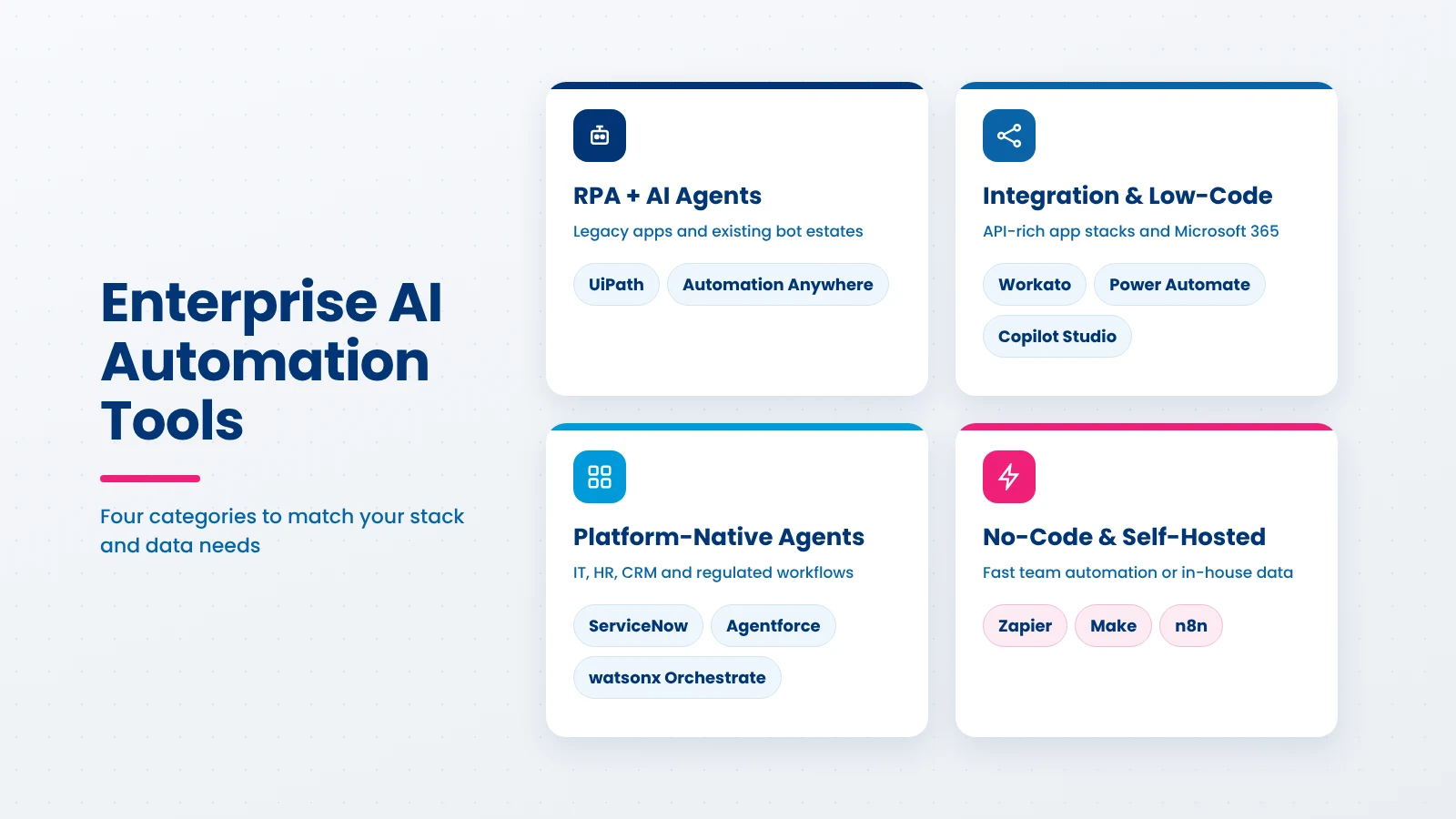
UiPath is one of the most established enterprise automation platforms, known for RPA and now focused on agentic automation. Its Maestro orchestration layer coordinates work across AI agents, software robots, and people in a single process, which suits enterprises that already run many bots.
Best for: large enterprises with an existing RPA estate that want to add AI agents without replacing their bots.
Limitations: the platform is broad and takes skilled developers to use well. Licensing across robots, agents, and orchestration can be complex, and value is lower if you have no RPA foundation.
Pricing model: self-service plans for small teams, with custom enterprise pricing. Visit UiPath
Power Automate is Microsoft’s low-code automation platform, and Copilot Studio adds custom AI agents on top. Together, they let teams automate work inside Microsoft 365, Dynamics 365, and Azure without leaving the Microsoft tenant.
Best for: organizations standardized on Microsoft 365 and Azure.
Limitations: licensing can be hard to predict across users, bots, and AI usage. Governance needs planning as the number of flows grows, and the platform is less natural for non-Microsoft stacks.
Pricing model: per-user, per-bot, and usage-based licensing. Visit Power Automate
Automation Anywhere offers a cloud-native automation platform that combines RPA, document automation, and AI agents. It is often shortlisted by enterprises that want strong governance and controls around automation in regulated processes.
Best for: finance, insurance, and other compliance-heavy operations moving from RPA to AI agents.
Limitations: enterprise-only pricing with no transparent public tiers. It needs trained developers, and smaller teams may find it heavier than they need.
Pricing model: custom pricing through sales. Visit Automation Anywhere
Workato is an enterprise integration and automation platform (iPaaS) that connects business apps through APIs. Its AI layer, Workato Genie, brings AI agents into the same platform used for integrations and workflows.
Best for: enterprises with many SaaS apps that need reliable, governed integration and automation.
Limitations: pricing is custom and can be significant. It is API-first, so legacy systems without APIs may still need RPA or custom connectors.
Pricing model: custom pricing. Visit Workato
ServiceNow is the system of record for IT service management in many large companies, and its AI Platform extends that to HR, customer service, and operations. Now Assist and ServiceNow’s AI agents can resolve incidents, route requests, and complete service workflows.
Best for: enterprises that already run IT, HR, or service operations on ServiceNow.
Limitations: costs are high, and value depends on how much of your work already lives in ServiceNow. Implementation usually needs certified specialists.
Pricing model: custom enterprise pricing. Visit ServiceNow
Agentforce is Salesforce’s platform for building AI agents that work on top of CRM data. Agents can qualify leads, answer customer questions, and update records inside sales, service, and marketing workflows.
Best for: sales and customer service teams that run on Salesforce.
Limitations: it is strongest inside CRM workflows and less suited to IT, supply chain, or back-office automation. Usage-based costs need careful monitoring.
Pricing model: consumption-based and per-user options. Visit Agentforce
IBM watsonx Orchestrate is an agent management and orchestration platform. It lets enterprises build, connect, and govern AI agents from one control plane, including agents built on other platforms.
Best for: regulated industries and hybrid cloud environments with data residency requirements.
Limitations: it is built for mature, large organizations, so it can be more than mid-size teams need. Entry pricing is high compared with no-code tools.
Pricing model: a free trial, published tiered plans (the Standard plan starts at $6,360 per month on IBM’s pricing page), and custom pricing for the premium tier. Visit watsonx Orchestrate
n8n is a workflow automation platform that can be self-hosted, which gives enterprises full control over where their data lives. It is popular with technical teams that want flexibility, code access, and AI agent workflows without per-task cloud costs.
Best for: data-sensitive enterprises with in-house technical teams.
Limitations: self-hosting means your team owns updates, security, and uptime. Advanced governance features sit behind enterprise plans, and business users may need developer support.
Pricing model: a free self-hosted edition, with paid cloud and enterprise plans. Visit n8n
Zapier is the best-known no-code automation tool, with thousands of app integrations. Its Enterprise plan adds the admin, security, and governance controls that larger organizations need, and Zapier Agents bring AI agents to business teams.
Best for: business teams that need to automate common SaaS workflows quickly.
Limitations: task-based pricing can become expensive at high volume. It is less suited to complex logic, legacy systems, or on-premise data.
Pricing model: task-based plans, with custom Enterprise pricing. Visit Zapier Enterprise
Make is a visual automation platform where workflows are built as connected scenarios on a canvas. It offers more control over logic than many no-code tools and has added AI agents for smarter workflows.
Best for: mid-market companies and enterprise teams automating cross-app workflows visually.
Limitations: it is cloud-only, so it may not meet strict data residency needs. Enterprise governance is lighter than in dedicated enterprise platforms.
Pricing model: a free plan, with credit-based paid plans. Visit Make
Also Read: Predictive Analytics Tools
Off-the-shelf AI workflow automation tools cover most common workflows well. But enterprises often hit limits in these situations:
From our experience: In enterprise projects, the biggest hurdle is rarely the automation tool itself. It is usually the legacy ERP or in-house system with no API. We often build a lightweight integration layer first, so the chosen platform can work reliably with that system.
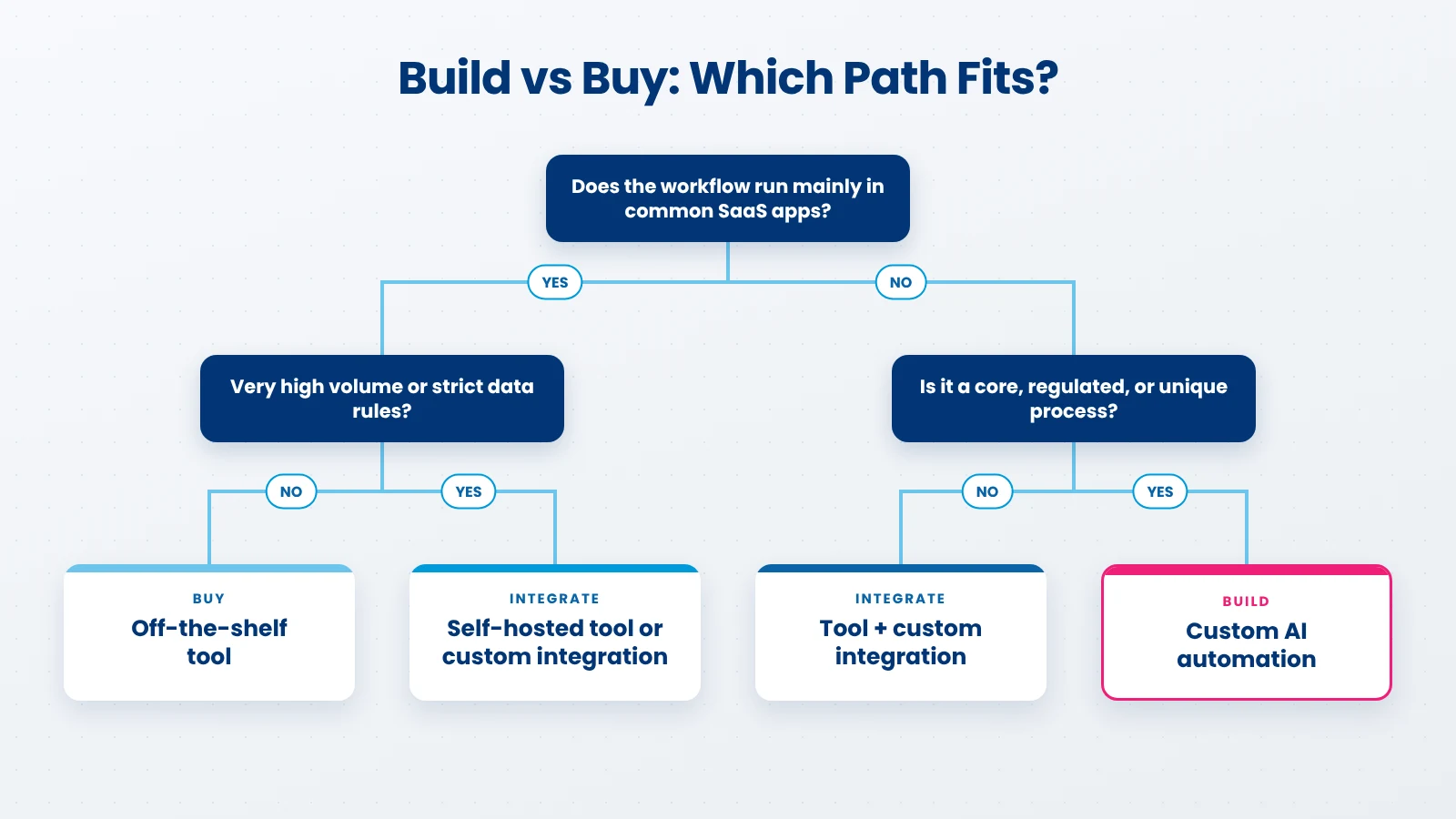
Most enterprises do not need to choose only one path. The right answer depends on how standard the workflow is, how sensitive the data is, and how much volume you expect.
| Factor | Off-the-Shelf Tool | Tool + Custom Integration | Fully Custom Build |
|---|---|---|---|
| Upfront cost | Low | Medium | Higher |
| Time to launch | Fastest | Moderate | Longest |
| Flexibility | Limited to platform features | High where it matters | Full |
| Control over data and models | Vendor-managed | Shared | Full |
| Long-term cost at scale | Can rise with usage | Balanced | Predictable after build |
| Best fit | Standard workflows in common SaaS apps | Standard tools with legacy or complex systems | Core, high-volume, or regulated processes |
When you don’t need a custom build: if your workflows run mainly inside popular SaaS apps, volumes are moderate, and there are no strict data residency rules, an off-the-shelf platform is usually the faster and cheaper choice.
From our experience: A hybrid approach works well for many of our clients: they keep a platform like Power Automate or n8n for everyday workflows and build custom AI components only for the high-value processes where the platform falls short.
Before you roll out any of these AI automation platforms, check these points with your security, legal, and IT teams:
A structured rollout reduces risk and shows value early. Follow these six steps:
Rollout discipline matters. Gartner has also predicted that over 40% of agentic AI projects will be canceled by the end of 2027, often because of rising costs or unclear business value. Clear goals and measurement from the pilot stage help avoid that outcome.
From our experience: “Pilots often stall when success is not defined upfront. We agree on two or three measurable targets, such as hours saved per week or error reduction, before writing a single workflow.
Choosing a platform is only part of the work. The bigger challenge is making AI automation work reliably with your existing systems, data, and governance needs. Xicom helps enterprises with AI automation consulting and development, from selecting the right platform to building custom automation where off-the-shelf tools fall short.
Our teams integrate platforms such as Power Automate, UiPath, and n8n with ERP, CRM, and legacy systems, and build custom AI agents with human-in-the-loop controls, audit logging, and clear guardrails. With 20+ years in software delivery, 750+ clients across 50+ countries, CMMI Level 3 processes, and ISO/IEC 42001, ISO/IEC 27001, and SOC 2 Type II certifications, we focus on automation that is secure, measurable, and built to scale.
There is no single best option for every enterprise. The right AI automation tools depend on your existing stack, your data rules, the complexity of your workflows, and how costs grow at scale. Start with a clear list of high-value workflows, test one platform in a focused pilot, and build governance in from day one. If your needs go beyond what standard platforms can handle, talk to Xicom’s AI team about integration or a custom build.
Leading enterprise AI automation tools include UiPath, Microsoft Power Automate with Copilot Studio, Automation Anywhere, Workato, ServiceNow, Salesforce Agentforce, IBM watsonx Orchestrate, n8n, Zapier Enterprise, and Make. The best choice depends on your tech stack, data rules, workflow complexity, and expected volume.
RPA follows fixed rules to repeat tasks, usually on structured data and screen-based steps. AI automation adds intelligence: it can read unstructured data such as emails and documents, handle variations, and make decisions within set limits. Many enterprises now combine both in one platform.
Pricing varies widely. Some tools offer free or low-cost entry plans, while most enterprise platforms use custom pricing based on users, bots, tasks, or AI usage. Costs can rise quickly at high volume, so model expected usage before you sign a contract.
Buy a platform for standard workflows in common SaaS apps. Consider custom integration or a custom build when you have legacy systems, complex logic, strict data residency rules, or very high volume. Many enterprises use a hybrid of both approaches.
Enterprise-grade platforms offer SSO, role-based access, audit logs, and certifications such as SOC 2. You should still confirm where data is stored, whether vendors train on your data, and how agent actions are approved and logged before rollout.
A focused pilot for one workflow can often go live in a few weeks. Enterprise-wide rollout takes longer and depends on the number of systems, integration complexity, governance setup, and team readiness. Starting small and scaling in stages reduces risk.

Based on this article's topic
Agentic AI vs RPA explained for enterprises. Compare differences, costs, use cases, and risks, plus when to use each, a hybrid model, and a migration roadmap.

EU AI Act compliance made simple. See the updated Digital Omnibus timeline, risk tiers, penalties, and a step-by-step checklist for AI businesses.
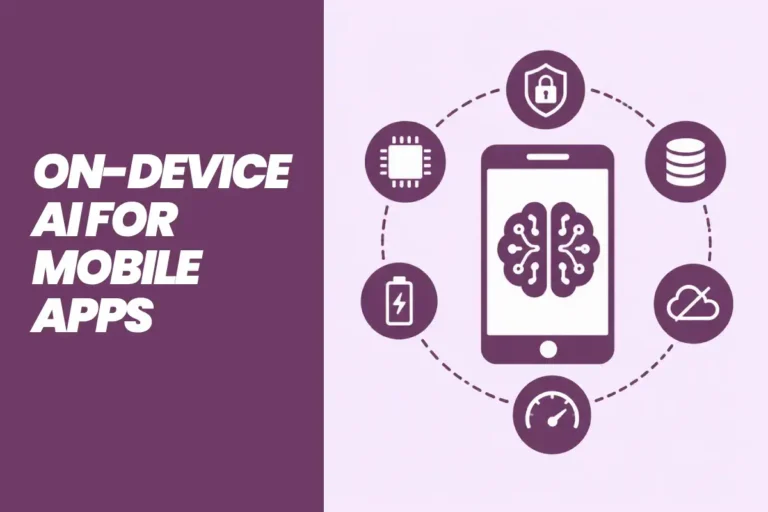
See how on-device AI works in mobile apps, which Android, iOS and cross-platform frameworks to use, real use cases and the steps to build.